UI/UX · App Design · Interaction Design · 2024
Charlie's Card
A mobile app designed for Boston's MBTA, combining real-time trip planning, virtual CharlieCard reloading, and a safety reporting system into one accessible experience.
UI/UX · App Design · Interaction Design · 2024
A mobile app designed for Boston's MBTA, combining real-time trip planning, virtual CharlieCard reloading, and a safety reporting system into one accessible experience.
Role
UX Designer
Team
4-person team
Context
Interaction Design 1 Class · 2024
Tools
Figma · Field Research · User Testing
The problem
Reloading a CharlieCard required a separate kiosk or website. Checking delays meant switching to Google Maps or Transit. Reporting unsafe activity had no clear channel at all. None of the existing apps solved all three, and none were designed with accessibility in mind for elderly or mobility-impaired riders.
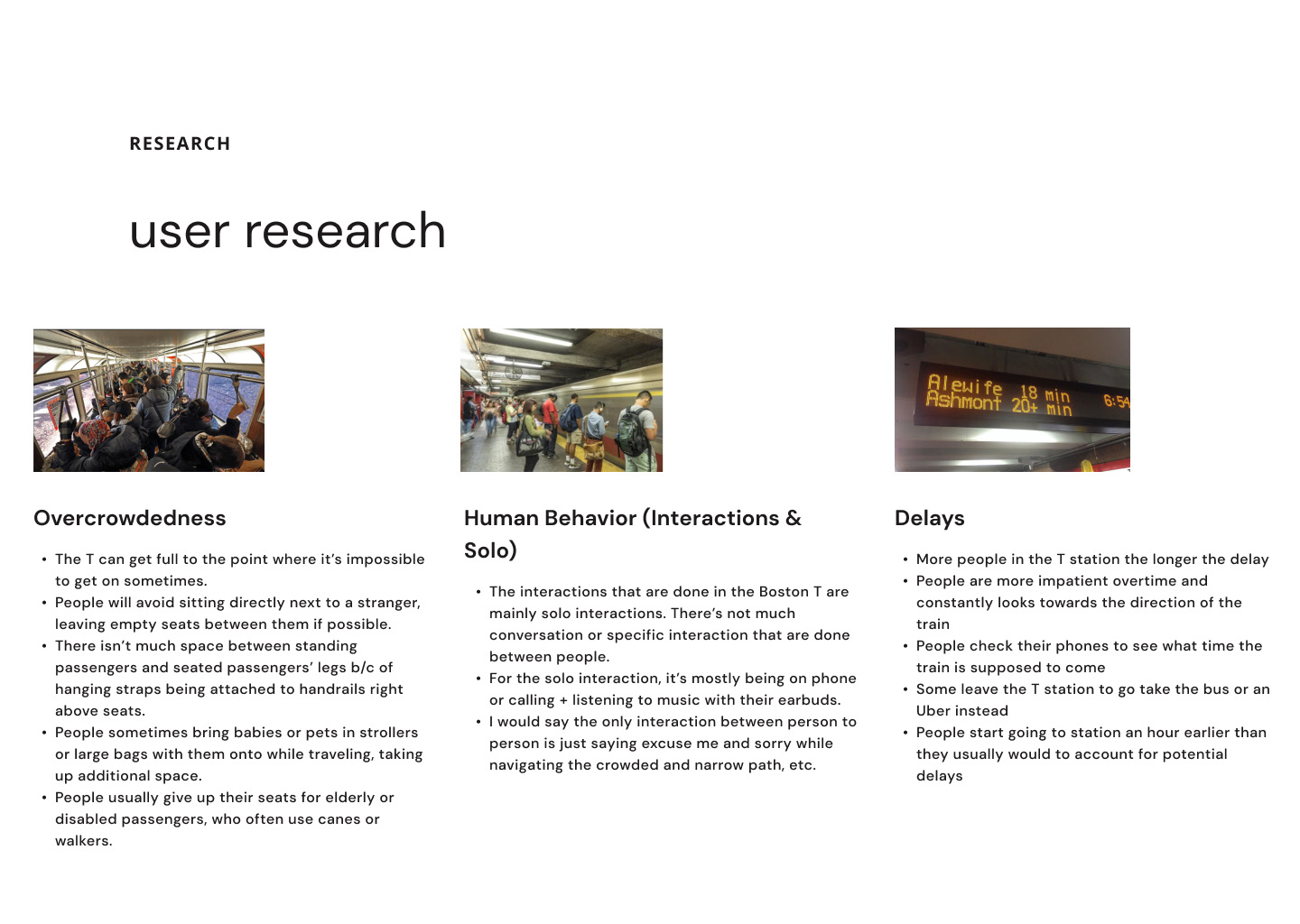
Before opening Figma, our team spent time on the MBTA observing how real riders actually used the system. What we found shaped every decision: overcrowding and delays were the biggest stressors, CharlieCard reloading was more complicated than it needed to be, and riders with mobility challenges had no reliable way to get assistance.
Research
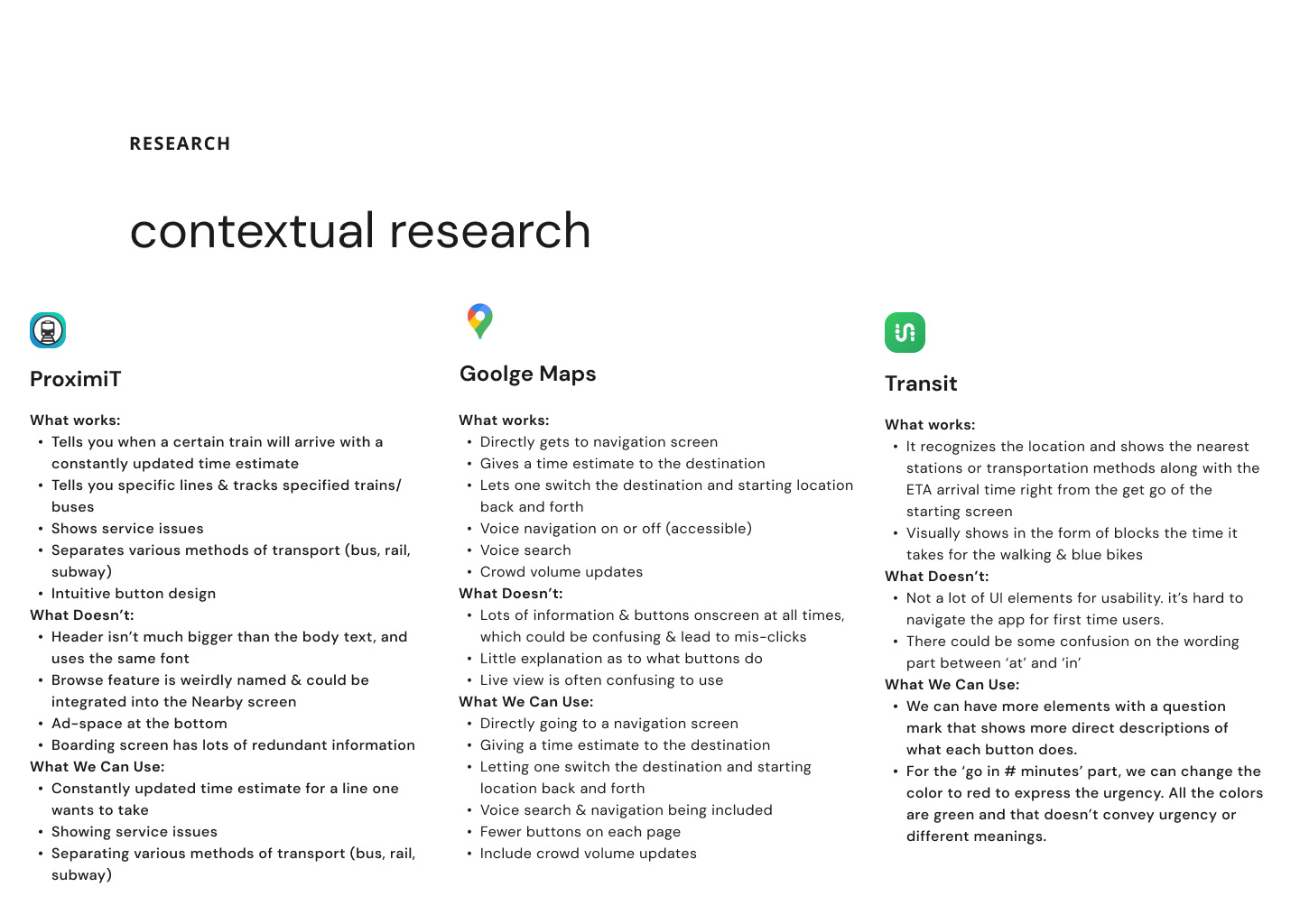
We evaluated three existing apps — ProximiT, Google Maps, and Transit — to understand what worked and what didn't. None of them handled CharlieCard reloading or safety reporting, which are two things we really wanted to focus on with our app.
Process
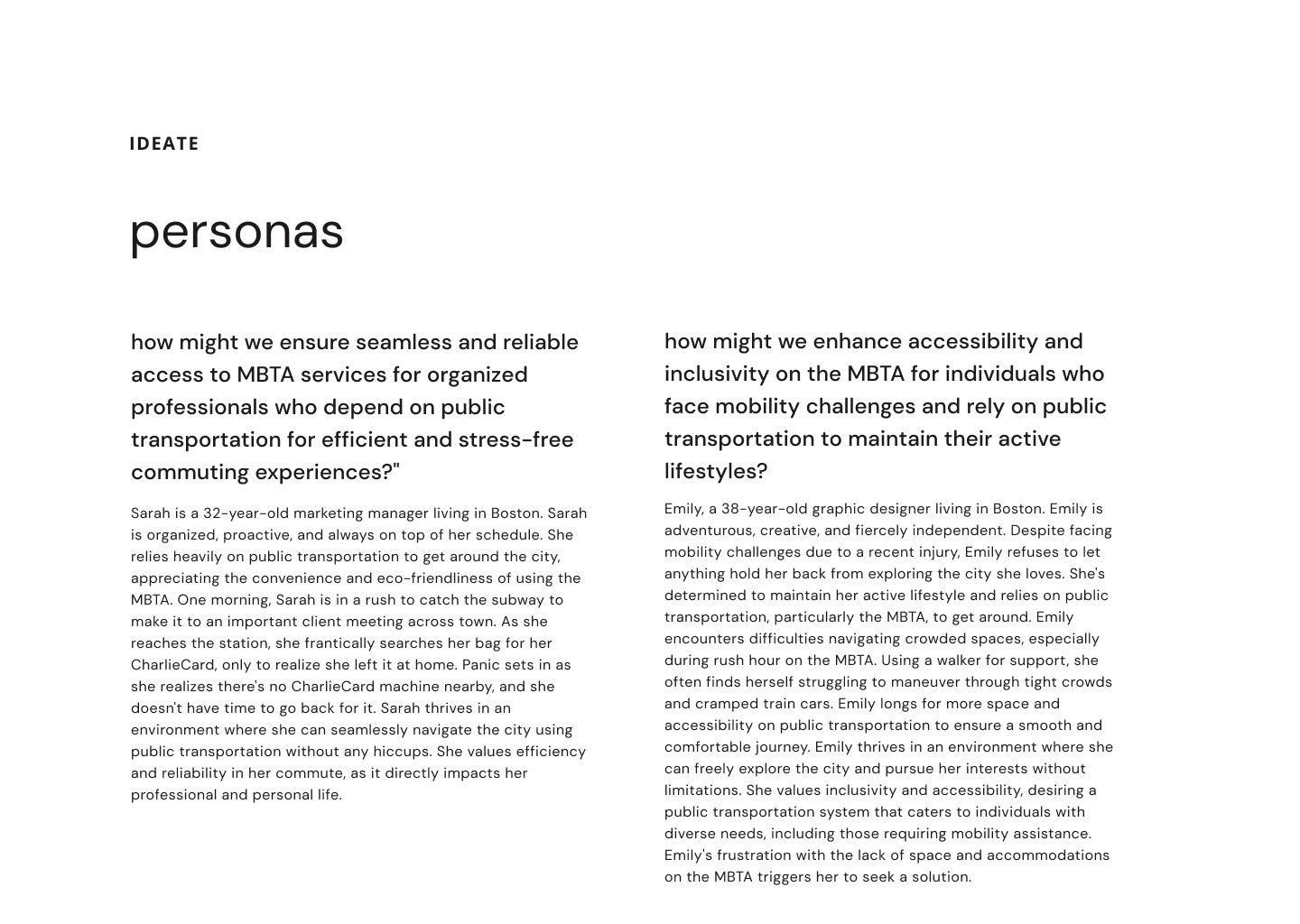
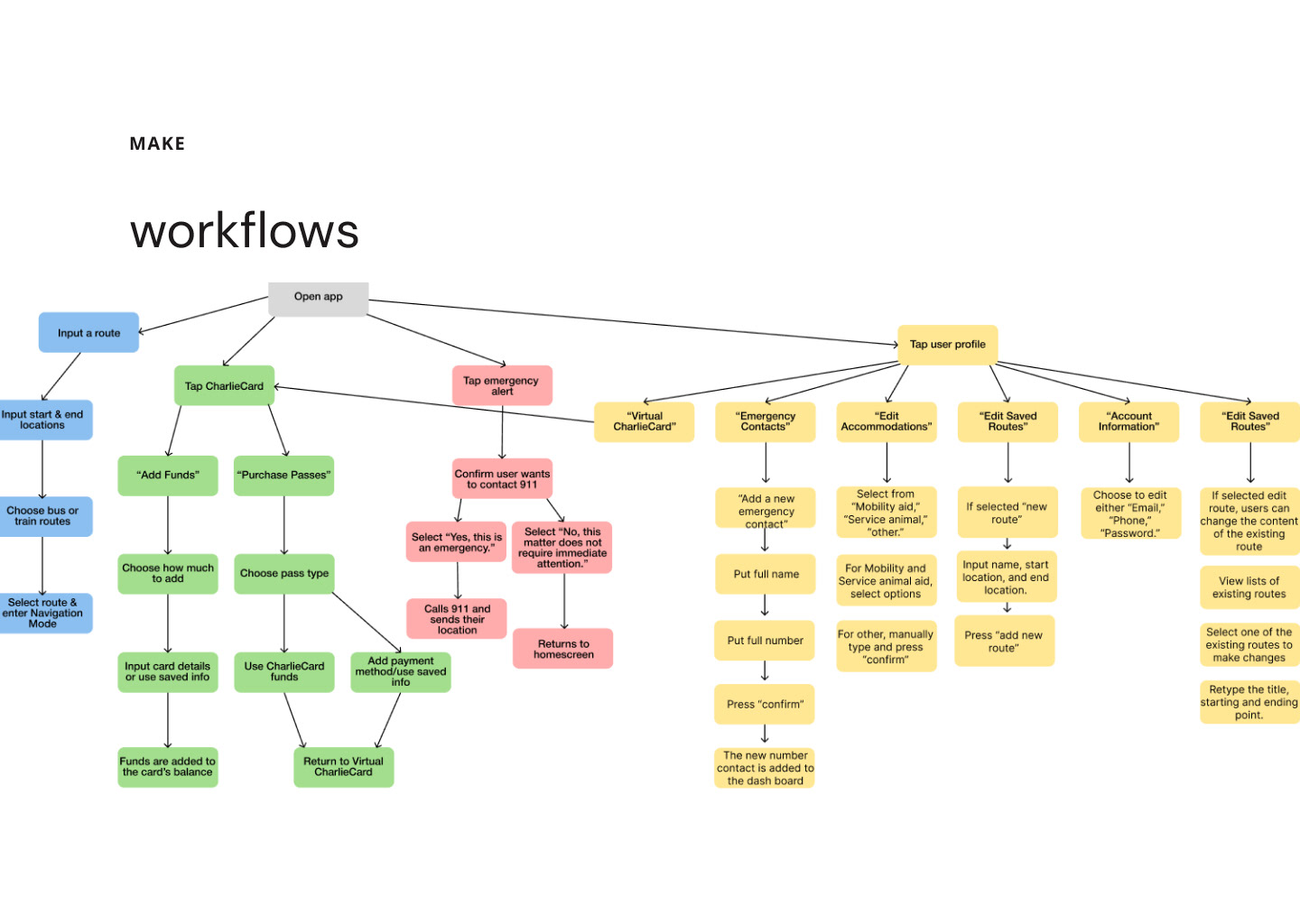
We mapped every possible solution before narrowing down to a mobile app. Before designing any screens, we built out a style guide — MBTA blue, Inter, and custom icons — so everything would feel cohesive from the start.
What we built
01
Real-time trip planning
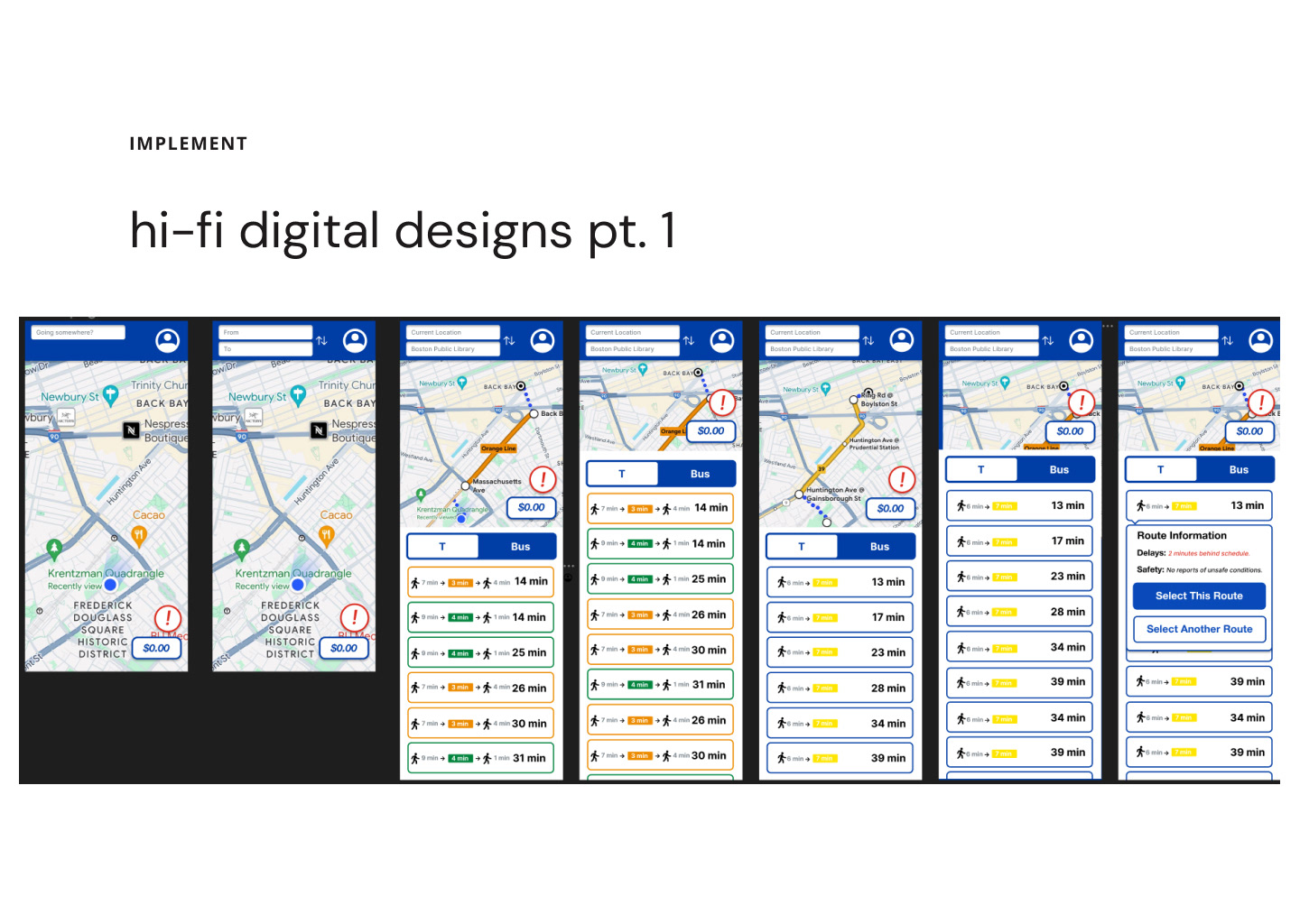
Live delay information, route options, and estimated arrival times — all in one view instead of across three different apps.
02
Virtual CharlieCard
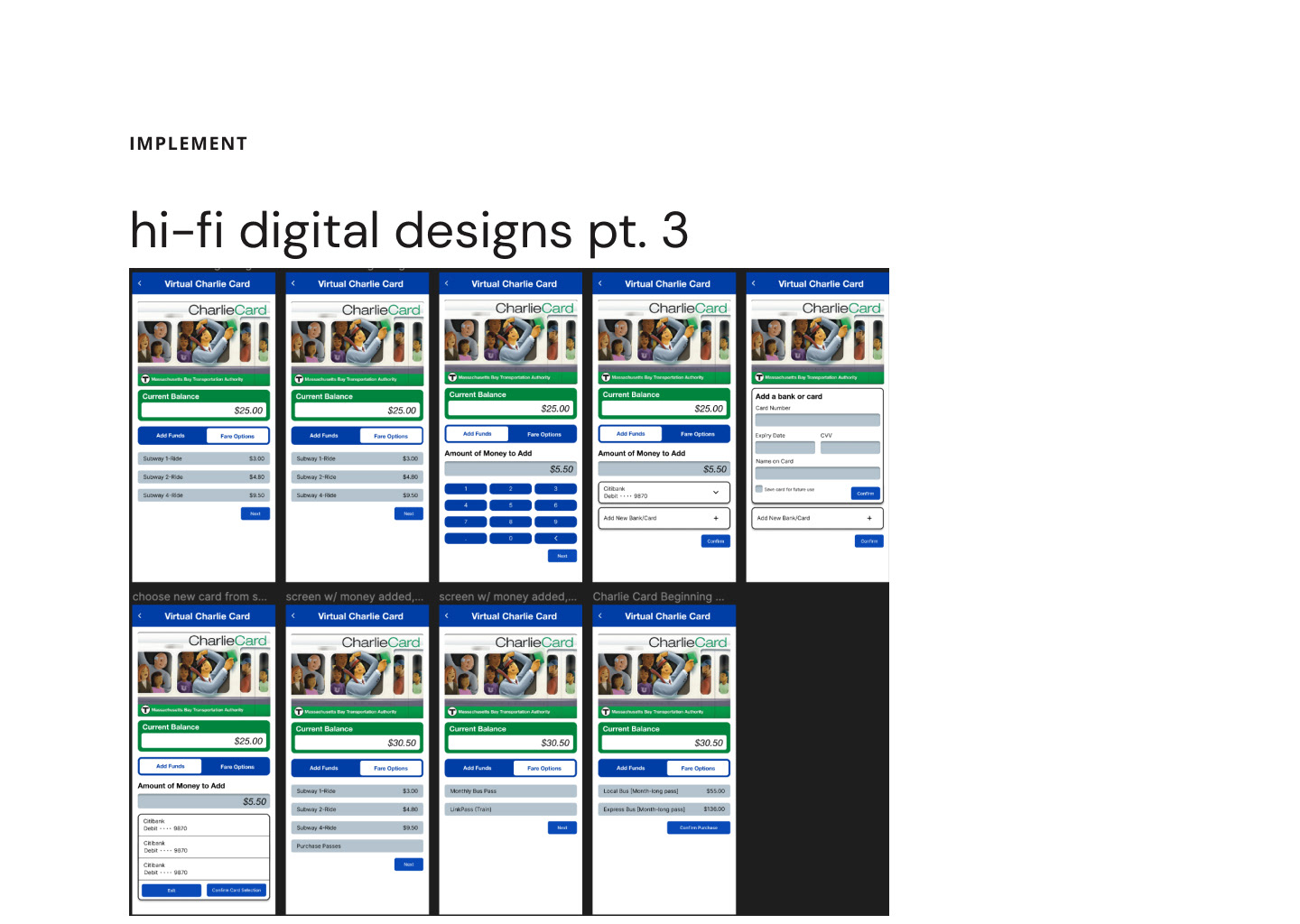
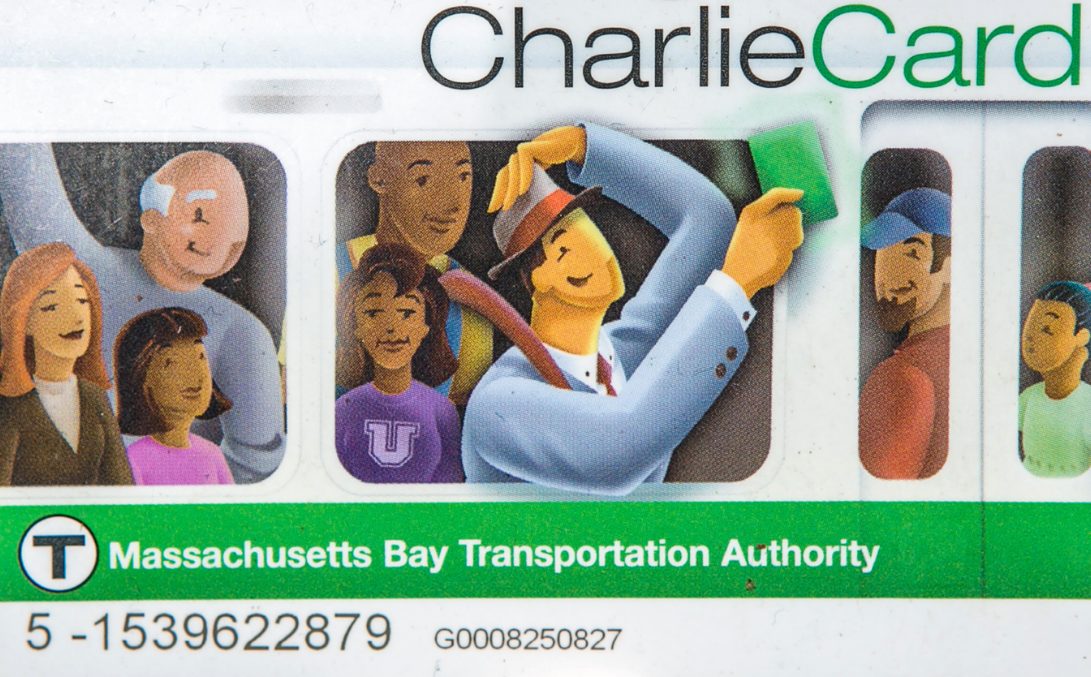
Add funds, purchase passes, and manage your card directly from your phone. No kiosk required.
03
Safety & accessibility
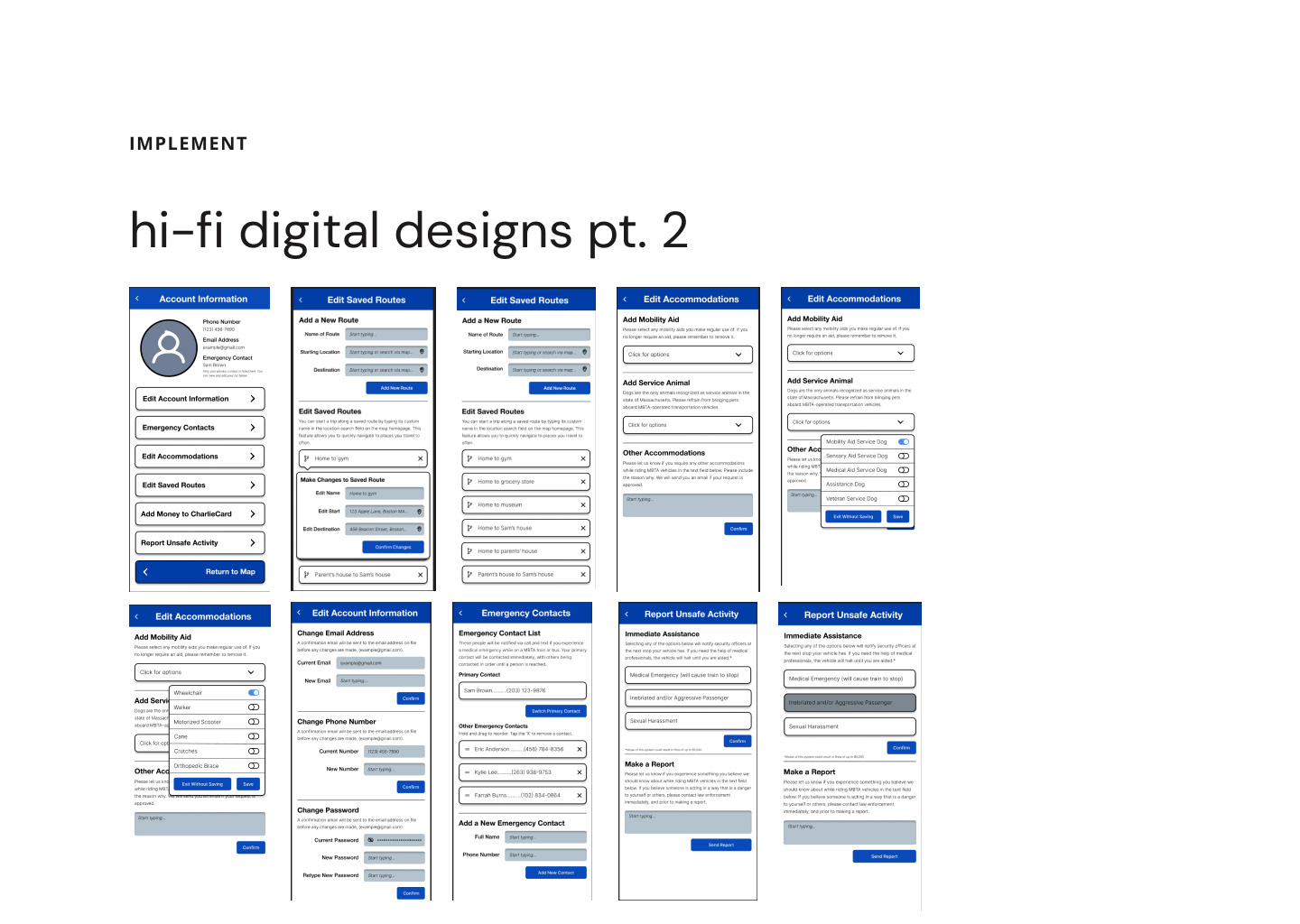
Report unsafe activity, add emergency contacts, and set mobility accommodations to get the right support when you need it.
Final designs
The hi-fi prototype covers all three flows: trip planning with live delay alerts, CharlieCard reloading, and the accessibility and safety reporting system.
Hi-fi screens
The final screens cover the full app: real-time route selection, virtual card reloading, mobility accommodations, and safety reporting.